A Nest Learning Thermostat will not save a leaky bedroom with electric baseboard if that Nest was never the right product. Most US smart thermostats are 24-volt controls for furnaces and heat pumps. Hardwired baseboard, many wall heaters, and some radiant ceilings are line voltage — 120 or 240 volts switching real amp loads. Check the voltage and number of poles before you buy, size the thermostat to the heaters on that circuit, and choose mechanical, electronic, programmable or Wi-Fi.
Expensive heat, right control family
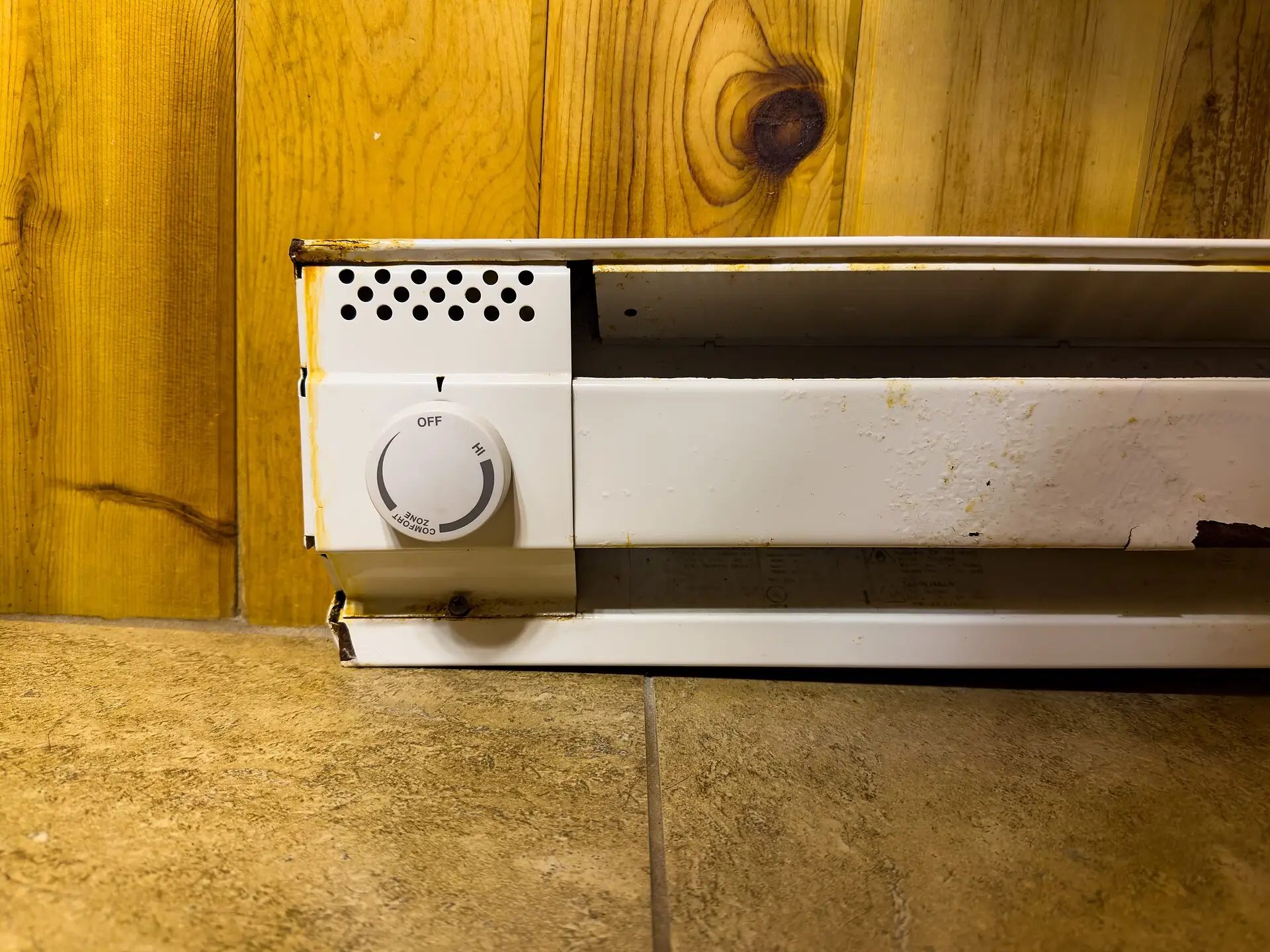
Electric baseboard and wall heaters convert nearly all their watts to heat in the room — which also means every unused degree is expensive when rates are high. A better thermostat helps when:
- You currently leave rooms at full comfort 24/7 because the old dial is inaccurate or has no schedule.
- Different rooms need different setpoints (bedrooms vs living spaces).
- You will actually use setbacks, vacation modes, or app schedules — not just admire a backlight.
- The existing control chatters, drifts 5–10°F, or never truly turns Off for summer.
A thermostat does less when:
- The room leaks through doors, windows, or an attic hatch — seal first (weatherstripping, window film, attic stair covers). Exterior-wall baseboards that cook the plaster more than the air may also want radiator heat reflectors.
- You buy a 24V Nest for a 240V baseboard circuit (wrong family; safety risk).
- The heater itself is undersized, failing, or blocked by furniture.
- You expect Wi‑Fi alone to cut a bill without changing setpoints.
Manufacturer “up to X%” claims assume you use schedules and that your prior control was wasteful. Your climate, rates, envelope, and habits decide the bill. Treat the thermostat as a control upgrade, not magic.
Check your home before you buy
Do this once with the power off for photos, and with power on only if you know how to use a meter safely:
- Identify the heat type — electric baseboard along the wall, in-wall fan heater, convector, or radiant ceiling vs a central furnace/heat pump. Central systems almost always want the 24V smart thermostat path.
- Confirm line voltage — heater nameplate and/or circuit label should say 120V, 208V, or 240V. Thick power conductors in a single-gang box feeding the heater are a strong clue. Nest-style R/C/W/Y/G terminals usually mean 24V — stop and change guides.
- Kill the correct breaker and verify zero volts — line-voltage mistakes hurt. If you cannot confidently find and test the breaker, hire an electrician.
- Photograph the existing thermostat wiring — count conductors. Note colors and which screws they land on. Do not rely on memory after the old unit is off the wall.
- Single-pole vs double-pole — two switched conductors often mean single-pole; four (two line, two load) often mean double-pole with positive Off. Match the replacement family unless an electrician redesigns the circuit.
- Add up watts on that thermostat — sum nameplate watts of every heater the thermostat controls. Convert: amps ≈ watts ÷ volts. The new thermostat’s amp rating must exceed the load (with margin). A 15A double-pole unit is not a drop-in for a 22A mechanical circuit full of baseboard.
- Note 120 vs 208/240 — some electronics are 240/208-only; others cover 120/208/240. Buy the voltage the nameplate states.
- Decide mechanical vs electronic vs programmable vs Wi‑Fi vs hire — see the guide below. Renters: confirm lease rules before opening boxes.
If mercury is in an old tilt thermostat, do not trash it in household garbage — follow local hazardous-waste rules.
What to do first
When a line-voltage upgrade is worth it
- Electric resistance is your main heat in one or more rooms and dials drift or stick On.
- You will use setbacks (workday, overnight, guest room) and currently cannot.
- You almost bought a Nest for baseboard — stop; buy the right family instead.
- Summer Off matters — double-pole positive Off is the usual ask.
- A room feels 5–10°F off from the dial marking and you keep bumping heat manually.
What not to do
- Do not install a 24V Nest/Ecobee/Amazon Smart thermostat on line-voltage baseboard wiring.
- Do not work hot — kill the breaker; verify with a meter.
- Do not exceed the thermostat’s amp/watt rating — split loads or upsize the control with an electrician.
- Do not ignore aluminum branch wiring — special connectors/techniques; often hire-out territory.
- Do not block heaters with drapes, beds, or plastic — fire and nuisance trip risk.
- Do not toss mercury thermostats in regular trash.
- Do not expect a thermostat to fix a wide-open envelope or a failing heater element.
Which one should you buy?
| Your situation | Better path | Why |
|---|---|---|
| 24V furnace / heat pump terminals (R, C, W, Y…) | Smart thermostats 2026 | Wrong article if you are here by mistake |
| Want cheapest like-for-like dial, 2-wire | Cadet T521-W class single-pole mechanical | Simple, high amp rating on many SKUs |
| Want positive Off, 4-wire | Cadet T522-W class double-pole mechanical | Breaks both legs; summer Off |
| Want accurate digital, no schedule | Cadet TH114A-240D-B class electronic DP | Backlit setpoint without programming hassle |
| Want 7-day setbacks on 240V baseboard | Honeywell TL8230A1003 class programmable DP | Schedules without needing Wi‑Fi |
| Want app / Alexa / HomeKit on line voltage | Mysa LITE class Wi‑Fi line-voltage | Verify watt ceiling (e.g. 3,800 W @ 240 V) and neutral |
| Load above thermostat rating / messy box / aluminum | Hire a licensed electrician | Safety beats a $40 DIY save |
| Only one cold room, rest of house is 24V HVAC | Seal + oil-filled zone heat or fix the baseboard circuit properly | Don’t frankenstein Nest onto 240V |
Our picks
We earn a commission if you buy through these Amazon links, at no extra cost to you. Check size and fit on the listing before you order.
Best simple single-pole mechanicalCadet T521-W
Best for: 2-wire replacements where you want a high-amp dial (often 22A class) and no programming.
Watch-outs: No positive Off on many single-pole designs. Match load. Not for 24V HVAC.
- Cadet T521-W Single Pole Mechanical (22A, 120/208/240V) Check price on Amazon
Best mechanical double-pole / positive OffCadet double-pole (T522-W class)
Best for: 4-wire boxes that need both legs broken and a true Off for summer. Rated 22A, with a 40–80°F dial.
Watch-outs: Still a mechanical comfort band (the listing says 3–6°F). Verify listing stock/pricing.
- Cadet double-pole mechanical line-voltage thermostat (22A, positive Off) Check price on Amazon
Best higher-amp DP mechanicalDr. Infrared DR-001
Best for: Bigger 4-wire baseboard or wall-heater circuits where 22A feels tight. The listing rates it up to 28A (about 6,720 W at 240 V) with double terminals for a positive Off.
Watch-outs: Mechanical dial, so expect a few degrees of swing. Size it to your heater and breaker, not the biggest number on the box.
- Dr. Infrared DR-001 4-wire line-voltage wall thermostat (single or double pole) Check price on Amazon
Best electronic non-programmable DPCadet TH114A-240D-B
Best for: Degree-ish digital control and a backlight without learning a 7-day menu — 240/208V double-pole.
Watch-outs: Often 15A class — calculate watts. Not a Nest; not 24V.
- Cadet TH114A-240D-B Electronic Double Pole Check price on Amazon
Best two-wire programmableStelpro ST302P
Best for: 2-wire line-voltage rooms with baseboard or convector heat that want a weekly schedule without Wi‑Fi. It holds the room within about 1°F and runs four events on weekdays, two on weekends.
Watch-outs: Rated 3000 W at 240 V (2600 W at 208 V, 1500 W at 120 V), so add up the heater watts. Not for fan-forced heaters; Stelpro sells a separate FF model for those.
- Stelpro ST302P programmable line-voltage thermostat (3000 W) Check price on Amazon
Best mainstream programmable double-poleHoneywell TL8230A1003
Best for: 208/240V baseboard/convector/fan-forced resistive loads that need real schedules and a quiet electronic switch — common “LineVoltPRO” pick.
Watch-outs: Typically 15A / ~3600W @ 240V — not for oversized multi-heater legs. Programming has a learning curve. Not Wi‑Fi.
- Honeywell TL8230A1003 7-Day Programmable Line-Volt Check price on Amazon
Best Wi‑Fi line-voltage optionMysa LITE
Best for: App schedules, geofencing, and Alexa / HomeKit / Google control on electric baseboard, convector, or fan-forced heat, with no subscription. Rated up to 1,900 W at 120 V or 3,800 W at 240 V.
Watch-outs: It needs 4 wires including a neutral or a second line, so it won’t work on a two-wire switch loop; run Mysa’s compatibility checker first. 2.4 GHz Wi‑Fi only. Still line voltage, not a Nest.
- Mysa Smart Thermostat LITE for electric baseboard heaters Check price on Amazon
Troubleshooting
| Symptom | Likely cause | What to try |
|---|---|---|
| Breaker trips on restore | Shorted splice; wrong wires tied; failed heater | Power off; recheck wirenuts; isolate heater; call electrician |
| Heat never comes on | Wrong breaker; single vs double pole mismatch; Off/Standby left down | Verify voltage at box; match pole count; check On/Standby |
| Heat never shuts off | Welded mechanical contacts; miswired line/load; failed electronic | Replace thermostat; confirm line vs load; electrician if stuck On |
| Room swings 5–10°F | Mechanical band; sensor near draft/sun; oversized heater | Move to electronic; fix drafts; avoid mounting over the heater |
| New digital clicks loudly | Normal relay on some units; fan-forced long cycle | Check model cycle setting; consider quieter triac designs |
| Wi‑Fi won’t join | 5 GHz-only SSID; captive portal; distance | 2.4 GHz setup; closer AP; follow the maker’s app setup steps |
| “Nest compatible” listing confusion | Marketplace wording for 24V kits | Ignore; re-check voltage — baseboard needs line-voltage SKU |
| Amp rating too low | Too many heaters on one thermostat | Split circuits or higher-rated control with electrician |
What this won’t fix
- A Nest-shaped hole in your shopping cart when the wiring is 240V — buy the right family.
- Wide door gaps, single-pane glass, or an open attic stair (weatherization guides).
- A heater buried in curtains or a failing element.
- Whole-house heat-pump strategy problems — different equipment.
- Medical vulnerability to cold — keep safe backup heat and working detectors.
- Guaranteed bill cuts from an app screenshot.
After you set it up
- Label the breaker that feeds each thermostat.
- Confirm Off / Standby works before heating season ends.
- Set occupied vs away/sleep temperatures you will actually keep.
- Seal the room envelope so setbacks don’t feel miserable.
- Keep 3 ft clearance in front of baseboards.
- Recheck wirenuts after the first week of heavy use (warm, not hot, is normal at splices — hot is not).
- Log one billing cycle of comfort vs prior winter habits — not as a guaranteed savings proof, as a reality check.
- Schedule electrician help for aluminum wiring, shared multi-heater legs over amp limits, or any mystery voltage.
Habits that help
- Set back unused bedrooms aggressively; heat the room you’re in.
- Pair with HVAC filter discipline if you also have forced-air.
- Don’t fight baseboard with a portable heater on the same circuit.
- In mild shoulder seasons, prefer sweaters and smaller setpoints over all-baseboard-on.
- When you remodel, ask about heat-pump or ducted options — resistance heat stays expensive per BTU.
FAQ
Can I put a Nest or Ecobee on electric baseboard heat?
Almost never. Nest, Ecobee, and most Amazon Smart thermostats are 24-volt HVAC controls for furnaces and heat pumps. Electric baseboard and many wall heaters are line-voltage (120 or 240 volts) and need a line-voltage thermostat rated for that load. Wiring a 24V Nest into line voltage can destroy the thermostat and create a shock/fire hazard. Confirm voltage before you buy.
What is the difference between single-pole and double-pole line-voltage thermostats?
Single-pole (usually 2 wires) switches one hot leg and often leaves a small standby path — some units never show a true Off. Double-pole (usually 4 wires) breaks both hot legs and typically offers a positive Off position, which many people want for summer and service. Match the pole count to your existing wiring and local code expectations; photograph the old thermostat before you remove it.
Will a programmable line-voltage thermostat actually cut my electric bill?
It can when you run real setbacks in unused rooms and hold sensible occupied setpoints — electric resistance heat is expensive per kWh. Savings scale with your rates, climate, how leaky the room is, and whether you actually use the schedule. Seal drafts and fix filters first when those are the bigger leaks.
How do I know if my thermostat is line voltage?
Look for thick power conductors in a standard wall box feeding baseboard or wall heaters, labels saying 120/208/240V, and no separate furnace control board. A multimeter (power on, careful) or the heater nameplate confirms voltage. If you see a Nest-style terminal strip (R, C, W, Y, G), that is usually 24V HVAC — different product family.
Should I hire an electrician to replace a baseboard thermostat?
Yes if you are unsure about voltage, pole count, amp ratings, aluminum wiring, crowded boxes, or local permit rules. Line-voltage work is ordinary for electricians and cheap insurance compared with a miswired 240V circuit. DIY is reasonable only when you can kill the correct breaker, verify zero volts, match wire-for-wire, and stay within the new thermostat’s amp/watt rating.
Mechanical dial or digital programmable — which should I buy?
Want cheapest like-for-like replacement and simple always-on comfort: mechanical single- or double-pole (Cadet T521/T522 class). Want degree-accurate control without schedules: electronic non-programmable. Want nightly/weekday setbacks on baseboard: programmable double-pole (Honeywell TL8230 class) or a verified Wi‑Fi line-voltage unit (Mysa LITE class) if you will use the app. Always match amps, volts, and pole count first.
Related reading
- Plug-in thermostats for space heaters — the 120 V plug-in version for portable heaters (not for hardwired baseboards)
- Best smart thermostats 2026 — 24V Nest/Ecobee path for furnaces and heat pumps
- Smart thermostat install cost vs DIY — when to hire on low-voltage systems
- Oil-filled space heaters / zone heating — portable zone heat with safety rules
- Heated mattress pads for zone heating — overnight comfort at lower setpoints
- Radiator heat reflectors for exterior walls — foil/foam behind baseboard on cold exterior walls
- Weatherstripping & door draft stoppers — seal the room before blaming the dial
- Window insulation kits — cold-glass rooms on resistance heat
- HVAC air filters / MERV — if you also have forced-air
- Lower your electric bill: priority checklist — this-month order of operations
- Start Here — full HomeBillCuts reading order
Bottom line
If your heat is electric baseboard or line-voltage wall heat, shop line-voltage thermostats — not Nest. Confirm volts, pole count, and amp load, then pick mechanical, electronic, programmable, or Wi‑Fi line-voltage hardware that matches the box. Use schedules and setbacks if you buy programmable; seal the room so those setbacks are livable. Hire an electrician when voltage, aluminum wiring, or load math is unclear. Amazon links may earn a commission as an Associate (disclosure). For 24V forced-air systems, return to smart thermostats 2026; for the broader order of operations, see Start Here or the priority checklist.
Some links on this page go to Amazon, and we earn a commission if you buy, at no extra cost to you. Prices and savings vary by home and utility rate. More in our disclosure.