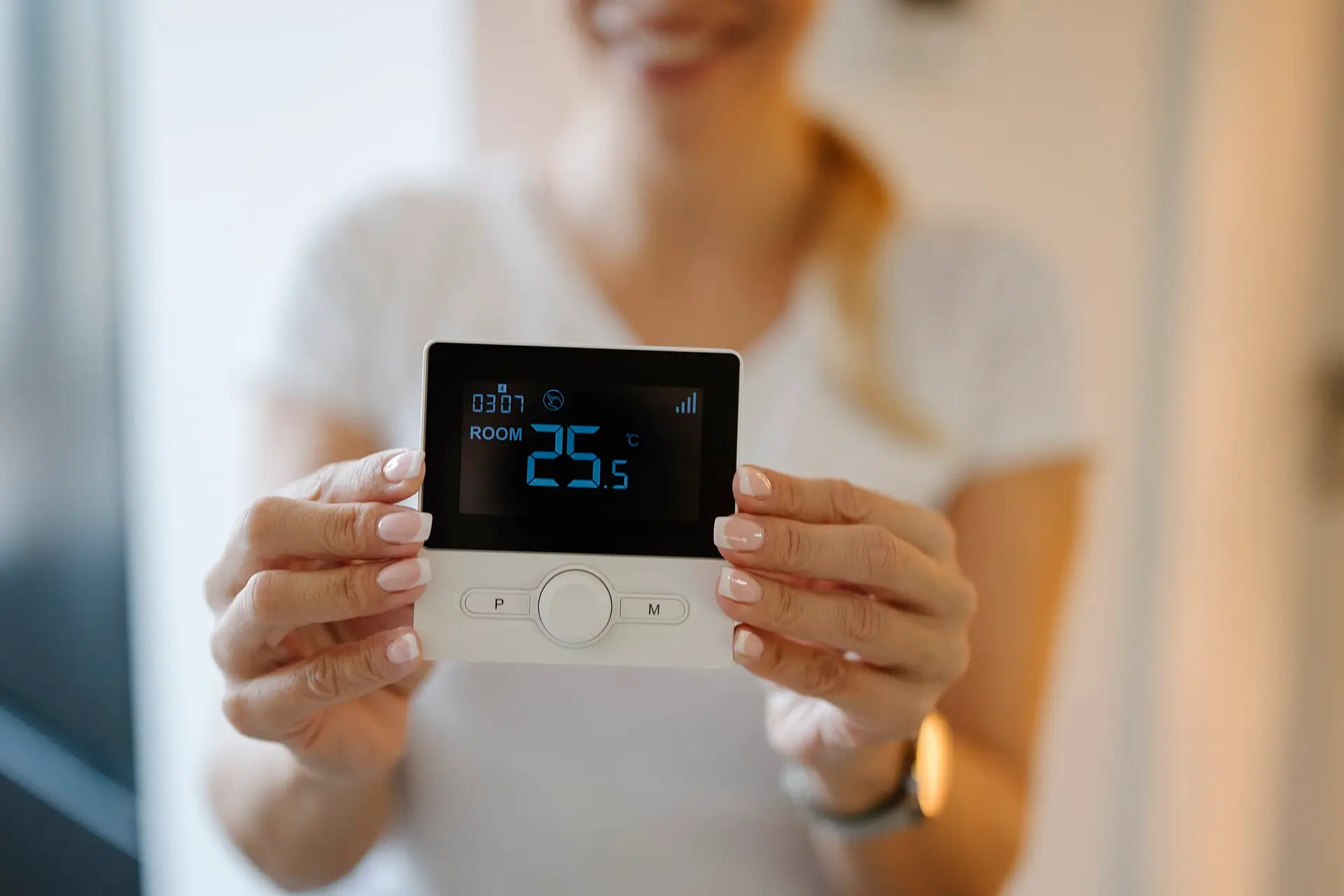
Smart thermostats are heavily marketed as bill-cutters. Sometimes they help. Sometimes they mostly send you pretty graphs. Check your wiring first. Then see when Nest, Amazon Smart, ecobee or Honeywell fits, avoid the heat pump aux traps, and set a schedule that sticks.
If you haven’t done the free stuff yet, start with our priority checklist and the Start Here hub. Pairing a modest heating setback with oil-filled zone heating in the room you actually occupy is a common winter strategy — only when you don’t leave central heat on high at the same time. Dirty HVAC filters and obvious door drafts usually beat a new thermostat for cheap wins.
Will a smart thermostat lower your electric bill?
It can help when:
- You forget to adjust setpoints and currently heat/cool an empty house for hours.
- You have time-of-use (TOU) rates and will actually shift pre-conditioning.
- You have a heat pump and want better staging / lockout awareness (model-dependent).
- Multiple household members fight over settings and you need remote locks / schedules.
- You want runtime insights that change behavior (complementary to a whole-home monitor).
- Uneven rooms need remote sensors so the hallway thermostat stops lying.
It usually won’t help much when:
- Your schedule is already disciplined with a cheap programmable thermostat.
- The house is leaky and under-insulated — equipment runtime is a symptom.
- Your HVAC is undersized, failing, or poorly charged — fix mechanical issues first.
- You expect the thermostat alone to “save 30%” because an ad said so.
- You will disable schedules after one cold morning and leave it at 72°F forever.
The reality: Savings come from changed runtime and setpoints, not from Wi‑Fi. A $250 thermostat that you set to the same temperatures 24/7 as before will not magically shrink kWh.
Check your home before you buy
Ordering a Nest or Ecobee before a 10-minute wiring check is how you get a return label and a cold house. Do this once:
- Photograph the existing thermostat — open the faceplate; photograph the terminal labels and each wire color in its screw. Don’t rely on memory.
- Count conductors — note whether you have a C (common) wire. Many smart stats need it for stable power; some ship with adapters or a PEK.
- Confirm voltage — most US forced-air / heat-pump thermostats are 24V. Line-voltage electric baseboard (120/240V) needs specialty thermostats — don’t put a Nest on millivolt or line-voltage without the right product family.
- Name your system — conventional gas furnace + A/C, heat pump (O/B wire?), dual fuel, electric furnace, boiler with zone valves, etc. Match the compatibility checker for the exact model.
- Check utility rebates — some programs require a specific ENERGY STAR SKU or utility enrollment; the rebate can dwarf a $30 price difference.
- Renter vs owner — renters: get landlord permission; keep the old thermostat and mounting plate to restore later.
- App / ecosystem reality check — Alexa-only home? Apple HomeKit? Prefer local/tech-friendly? Pick the shortlist category that matches how you’ll use schedules, not the prettiest ad.
If wires are unlabeled, melted, or you’re unsure whether it’s line voltage, stop and hire an HVAC tech or electrician. Incorrect wiring can damage control boards.
Should you buy now or wait?
Buy now if
- Empty-house heaters — you leave for work with heat cranked and never remember setbacks.
- Heat-pump homes where aux/emergency strip heat thrashing is invisible today — you need app runtime visibility.
- Uneven houses where the hallway thermostat reads wrong — remote sensors can stop over-conditioning empty rooms.
- TOU rate customers willing to pre-heat/pre-cool in cheap windows and coast through peaks.
- Multi-person households that need schedule locks so one person doesn’t undo setbacks.
Wait / do these first
- Replace a clogged HVAC filter and seal the worst exterior door drafts.
- Set a realistic schedule on your existing programmable thermostat for two weeks — if you stick to it, you may not need smart.
- Measure HVAC runtime with utility interval data or an Emporia / Sense-style monitor so you know the baseline.
- Fix mechanical issues (no heat, short cycling, iced outdoor unit) before blaming the thermostat.
What not to do
- Line-voltage / millivolt systems unless the product explicitly supports them.
- Unlabeled or damaged wiring — photograph and call a pro; don’t guess.
- Landlord refusal or lease rules that forbid thermostat swaps.
- Gas smell / CO concerns / scorched boards — stop DIY and call a qualified pro.
- “Emergency Heat” as a lifestyle — if you’re already on strip heat constantly, diagnose the heat pump / outdoor unit first.
- Replacing before weatherizing when filters are filthy and doors whistle — the thermostat won’t fix infiltration.
Buy after the free and cheap envelope/filter steps, not instead of them.
Smart thermostat vs filters vs weatherization vs zone heat
| Job | Better tool |
|---|---|
| Empty-house setbacks / geofencing / remote sensors | Smart thermostat — this page |
| Already-disciplined setbacks, no app needed | Cheap programmable thermostat |
| Dirty filter / restricted airflow | HVAC MERV filters |
| Door / window infiltration | Weatherstripping & draft stoppers |
| Cold glass face | Window insulation kits or thermal curtains |
| Warm one occupied room after a house-wide setback | Oil-filled zone heaters |
| Overnight bed comfort at lower house setpoint | Heated mattress pads |
| See which circuits run (HVAC vs phantom loads) | Emporia Vue vs Sense or a Kill A Watt |
| Wiring / C-wire / hire-vs-DIY install | Smart thermostat install cost vs DIY |
You can stack tools: filter + door sweep + modest setback + zone heat in the room you use. Don’t run central heat at 72°F and a space heater in every room.
Which one should you buy?
Use this before you cart three ecosystems:
- Already stick to setbacks on a cheap programmable? → Keep it. Revisit smart only for sensors, heat-pump aux visibility, or TOU automation.
- Want learning / simple app / Google ecosystem? → Nest Learning (or current Nest equivalent). Confirm C-wire; verify what’s subscription-gated at purchase time.
- Want lowest upfront cost + Alexa? → Amazon Smart Thermostat (ENERGY STAR budget pick). Configure schedules day one — cheap only wins if you use it.
- Uneven rooms / Apple HomeKit / want remote sensors? → Ecobee with room sensors. Place sensors in lived-in rooms, not empty hallways.
- Prefer contractor-familiar / less consumer-ecosystem lock-in? → Honeywell Home / Resideo (e.g. T9 with sensors). Buy a current firmware-supported SKU.
- No C-wire and board supports a PEK? → Consider models with an official Power Extender Kit path (see accessories) — or hire install to pull a C-wire.
- Unsure about wiring / line voltage / heat pump O/B? → Read install cost vs DIY and hire out rather than guessing.
Measure tip: Your compatibility sheet + wiring photo beats any “best of 2026” headline.
Features that matter for bills (ignore the rest)
Prioritize:
- Reliable schedules + geofencing / occupancy you will keep enabled.
- Heat pump compatibility (O/B wire, auxiliary heat controls, compressor lockouts where supported).
- Fan and humidity controls if your climate needs them for comfort at higher cooling setpoints.
- Utility / demand-response programs — only if you opt in knowingly (read comfort tradeoffs).
- Room sensors for problem houses where the hallway thermostat reads wrong.
- Local control / outage behavior — can you still run heat/cool if the cloud blips?
Deprioritize (for bill-cutting):
- Voice-assistant gimmicks
- Hyper-specific “AI” marketing claims without your data behind them
- Color screens as a savings feature (they’re convenience)
- Subscription upsells you won’t use
Compatibility checklist (do this before checkout)
Safety / install notes: Turn off power at the breaker before removing a thermostat. Photograph existing wiring. Confirm you are not dealing with high-voltage electric baseboard systems unless the product explicitly supports them. If you see unexpected line voltage or unlabeled wires, stop and hire an HVAC tech or electrician. Incorrect wiring can damage control boards.
Before checkout:
- Confirm system type: conventional gas furnace + A/C, heat pump, dual fuel, electric furnace, etc.
- Count conductors; check for a C-wire (common). Many smart stats need it; some include power adapters — adapters are not ideal for every board.
- Check voltage: most US HVAC thermostats are 24V. Line-voltage baseboard needs different products.
- Read your utility’s rebate list — sometimes a specific ENERGY STAR model is required.
- Renters: get landlord permission; keep the old thermostat to restore later.
- Decide DIY vs pro using the install guide — C-wire pulls and heat-pump O/B mistakes are expensive.
2026 shortlist (practical picks)
We earn a commission if you buy through these Amazon links, at no extra cost to you. Check size and fit on the listing before you order.
Best overall for most US forced-air homesGoogle Nest Learning Thermostat (or current Nest equivalent)
Mature app, strong schedule learning for people who hate programming, wide HVAC support, solid remote control.
Watch-outs: Works best with a C-wire in many setups; some users dislike subscription upsells for advanced features on related products — verify what’s included at purchase time. Learning features only save energy if they reduce runtime vs. your old habits. Confirm heat-pump aux settings after install.
- Nest Learning Thermostat Check price on Amazon
- Nest trim kit (fit/finish, when needed) Check price on Amazon
Best value workhorseAmazon Smart Thermostat (or current Energy Star budget pick)
Lower upfront cost, Alexa routines if you’re already in that ecosystem, adequate scheduling for bill-focused users who don’t need premium sensors.
Watch-outs: Fewer advanced heat-pump nuances than premium models; confirm C-wire needs and HVAC compatibility. “Cheap” only wins if you actually configure schedules the first evening.
- Amazon Smart Thermostat Check price on Amazon
Best for uneven houses / Apple-centric homesEcobee Smart Thermostat (room-sensor models)
Excellent remote sensors for uneven houses, strong schedules, generally good heat-pump support, HomeKit options on supported models.
Watch-outs: Higher price; sensor placement matters (lived-in rooms, not empty hallways); cloud dependence varies by feature. Sensors help comfort — bill impact still depends on setpoints and whether you stop conditioning empty zones.
- Ecobee Smart Thermostat (room-sensor models) Check price on Amazon
- ecobee Power Extender Kit (when you lack a C-wire and the board supports it) Check price on Amazon
Best contractor-familiar pickHoneywell Home / Resideo (e.g. T9 with sensors)
Familiar to HVAC techs, often available through contractors, dependable scheduling without forcing a single consumer ecosystem; sensor options on supported models.
Watch-outs: App quality varies by model generation — buy the current firmware-supported SKU. Contractor markup can erase “savings” if you’re only upgrading for app features you won’t use.
- Honeywell Home T9 Check price on Amazon
These are shortlist categories, not lab-tested rankings with fabricated kWh deltas. Model numbers change — verify 2026 compatibility sheets and your wiring photos before ordering.
Heat pumps: special bill pitfalls
If you have a heat pump:
- Watch auxiliary / emergency heat runtime in the app. Electric strip heat can erase efficiency gains fast on cold mornings. Our heat pump aux heat guide shows the exact lockout settings to check.
- Understand outdoor lockout / balance point settings if your model and air handler allow them.
- Don’t confuse Emergency Heat with normal winter operation — Emergency Heat is a backup mode, not a comfort upgrade.
- Keep the outdoor unit clear of leaves/snow and change filters on schedule (MERV guide).
- Pair thermostat improvements with the free habits on the priority checklist.
Setup habits that actually move the needle
- Set a realistic weekday / weekend schedule the first evening — don’t leave factory defaults forever.
- Enable eco / away modes you’ll tolerate — aggressive setbacks that make you override constantly fail.
- On TOU rates, pre-cool or pre-heat in cheap windows, then coast.
- Place remote sensors in rooms you occupy; exclude unused guest rooms from averaging if the app allows.
- Review weekly runtime for a month; adjust one variable at a time.
- Combine with measurement: interval utility data or a home energy monitor.
- After a house-wide setback, warm the room you use with zone heat or a heated mattress pad — don’t crank the whole house back up.
Troubleshooting
| Symptom | Likely cause | Fix |
|---|---|---|
| Thermostat won’t power on | Missing C-wire; tripped breaker; reversed Rc/Rh; dead batteries on hybrid models | Restore power; verify C or install official PEK/adapter per manual; check Rc/Rh jumper notes |
| Wi‑Fi drops / flaky app | Weak 2.4 GHz signal at the wall; mesh band steering; ISP outage | Move AP closer; force 2.4 GHz SSID; confirm local buttons still run heat/cool |
| Heat pump runs aux constantly | Balance point / lockout too aggressive; dirty filter; low outdoor temp; wrong O/B | Check aux runtime in app; replace filter; verify O/B; review lockout settings; call HVAC if icing |
| Short cycling / comfort complaints | Oversized equipment; wrong cycle rates; sensor in a hotspot | Adjust cycle rate per manual; move remote sensor; mechanical sizing may need a pro |
| Wrong stage / fan always on | Incorrect system type in setup wizard; G-wire miswired | Re-run installer setup; match system type to equipment; verify G |
| Display on but HVAC dead | Furnace door switch; float switch trip; condensate / safety lockout | Check air handler door switch and condensate pan; not always a thermostat fault |
| Schedule keeps getting overridden | Household fights; geofencing too sensitive; vacation mode stuck | Use schedule locks; widen geofence; clear vacation/hold modes |
| Renter can’t restore old look | Missing original plate / screws | Keep old thermostat + plate in a labeled bag before install |
Deep wiring walkthrough, C-wire options, and when to hire: smart thermostat install cost vs DIY.
What we intentionally left out
- Fake “top 10” lists padded with near-duplicates
- Guaranteed annual savings charts without your climate/rates
- Recommending thermostats for line-voltage systems without calling out specialty hardware
- Subscription feature matrices that change every quarter — verify at purchase time
FAQ
Will a smart thermostat lower my heating bill this winter?
It can help if you currently heat an empty house for hours and will use schedules, geofencing, or occupancy features to change runtime. Savings come from changed setpoints—not from Wi‑Fi. If you already keep disciplined setbacks on a cheap programmable thermostat, upgrading alone usually will not cut much.
Do I need a C-wire for a smart thermostat?
Many smart thermostats need a C-wire (common) for stable power. Some kits include adapters or a Power Extender Kit (PEK), but adapters are not ideal for every control board. Photograph your wiring, confirm 24V HVAC (not line-voltage baseboard), and check the model’s compatibility sheet before you buy.
Can a smart thermostat help with a heat pump in cold weather?
Yes—if it supports your heat pump wiring and you watch auxiliary/emergency heat runtime. Strip heat can erase efficiency gains. Understand lockout/balance-point settings where your equipment allows them, and don’t confuse Emergency Heat with normal winter operation.
Should I buy a smart thermostat before weatherizing?
Usually no. Fix filters, obvious drafts, and a realistic schedule first. A $250 thermostat set to the same temperatures 24/7 as before will not magically shrink kWh. Pair modest heating setbacks with envelope fixes and, if you zone-heat one room, only after you lower whole-house setpoints.
Is a cheap programmable thermostat enough instead of a smart one?
Often yes. If you already set weekday/weekend setbacks and stick to them, a basic programmable unit can deliver most of the bill benefit without cloud apps or C-wire drama. Upgrade to smart when you need geofencing, remote sensors for uneven rooms, heat-pump aux awareness, or TOU pre-conditioning you’ll actually use.
Related reading
- Heat pump aux heat raising your bill? — Nest, ecobee, and Honeywell aux lockout settings, setback rules, and when to upgrade
- Under-desk heaters & heated foot warmers — stay comfortable during a work-hours setback
- Electric baseboard / line-voltage thermostats — 120/240V baseboard controls (Nest will not work here)
- Smart thermostat install cost vs DIY — wiring, C-wire, and when to hire out
- Oil-filled space heaters / zone heating — warm the room you use after a house-wide setback
- Heated mattress pads for zone heating — overnight comfort at lower thermostat settings
- HVAC air filters / MERV — cheap airflow wins before a $250 control upgrade
- Register booster fans for cold rooms — weak far supplies after filter/damper checks; fans move air, not create heat
- Furnace humidifier water panels for winter comfort — measure RH; #10 vs #35 fit; portable path when you have no whole-house unit
- Weatherstripping & draft stoppers — seal doors before blaming the thermostat
- Emporia Vue vs Sense — measure HVAC runtime before you upgrade controls
- Priority checklist — where thermostats sit vs filters and weatherization
Bottom line
Buy a smart thermostat after you’ve fixed obvious waste and confirmed you’ll use schedules, sensors, or occupancy features. Pick compatibility first, ecosystem second, and marketing claims last. Nest, Amazon Smart, Ecobee, and Honeywell are category picks — verify your wiring photo against the 2026 compatibility sheet before you click buy. For the broader action order, return to Start Here or the electric bill checklist.
Some links on this page go to Amazon, and we earn a commission if you buy, at no extra cost to you. Prices and savings vary by home and utility rate. More in our disclosure.