If your heat pump bill jumped the first cold week of the year, the usual suspect isn’t the heat pump. It’s the backup heat — the electric resistance strips (labeled AUX or backup heat on the thermostat) that kick in when the thermostat thinks the heat pump needs help. Strips are simple and reliable, and they cost several times more per hour of heat than the heat pump itself. On many systems they run far more than they need to because of factory-default thermostat settings, big overnight setbacks, or a dirty filter.
Work out what your backup strips cost per hour and confirm whether aux really runs too much. Fix the free settings on the thermostat you already own before deciding whether a heat-pump-aware thermostat or an outdoor sensor is worth buying.
AUX vs EM heat vs the heat pump: 60-second version
- Heat pump (normal “Heat”) — the outdoor unit moves heat from outside air into the house. The U.S. Department of Energy says a heat pump can deliver up to three times more heat than the electricity it uses. Its capacity drops as it gets colder outside.
- AUX / backup heat — usually electric heat strips in the indoor air handler. They turn electricity into heat one-for-one (about 1 kWh of heat per kWh). The thermostat adds them automatically when the house is falling behind, the heat pump is defrosting, or you just asked for a big temperature jump.
- EM heat (emergency heat) — a manual mode that locks out the heat pump and heats with the backup source alone. It’s meant for when the heat pump is broken, iced over, or being serviced. Honeywell’s T9 manual is explicit: in Em Heat mode “the heat pump is locked out and the backup heat is used to maintain the heat setpoint.”
Seeing AUX now and then is normal. Seeing it every morning in 45°F weather is money leaving the house.
What your strips cost per hour (do this math once)
Find the heat strip size. It’s on the air handler’s label or the heat kit’s label, usually in kW; residential kits commonly run from about 5 kW to 20 kW. Then:
Strip cost per hour = strip kW × your $/kWhUse your bill’s all-in rate (total electric charges ÷ total kWh). The U.S. average residential price was 18.31¢/kWh in July 2026 (EIA, preliminary); yours may be far higher or lower.
| Strip size | kWh per hour at full output | Cost per hour at $0.14 | at $0.18 | at $0.30 |
|---|---|---|---|---|
| 5 kW | 5 | $0.70 | $0.90 | $1.50 |
| 10 kW | 10 | $1.40 | $1.80 | $3.00 |
| 15 kW | 15 | $2.10 | $2.70 | $4.50 |
| 20 kW | 20 | $2.80 | $3.60 | $6.00 |
Example rates only — swap in yours.
Now compare that to the heat pump. If the heat pump delivers the same heat at roughly three times the efficiency, an hour of heat that costs $1.80 from 10 kW of strips is roughly $0.60 from the heat pump. Google’s Nest help pages put AUX at “about 2 to 5 times as much as running your heat pump.” The exact multiple depends on outdoor temperature and your equipment, but the direction never changes: every hour the strips run that the heat pump could have covered is an expensive hour.
Reality check: a few hours of aux a week in a cold snap is normal and not worth obsessing over. Two hours of 10 kW strips every morning at $0.18 is about $3.60 a day — over $100 a month — and that’s the pattern worth fixing.
Step 1: Prove aux is the problem (before changing anything)
Pick the easiest that fits your house:
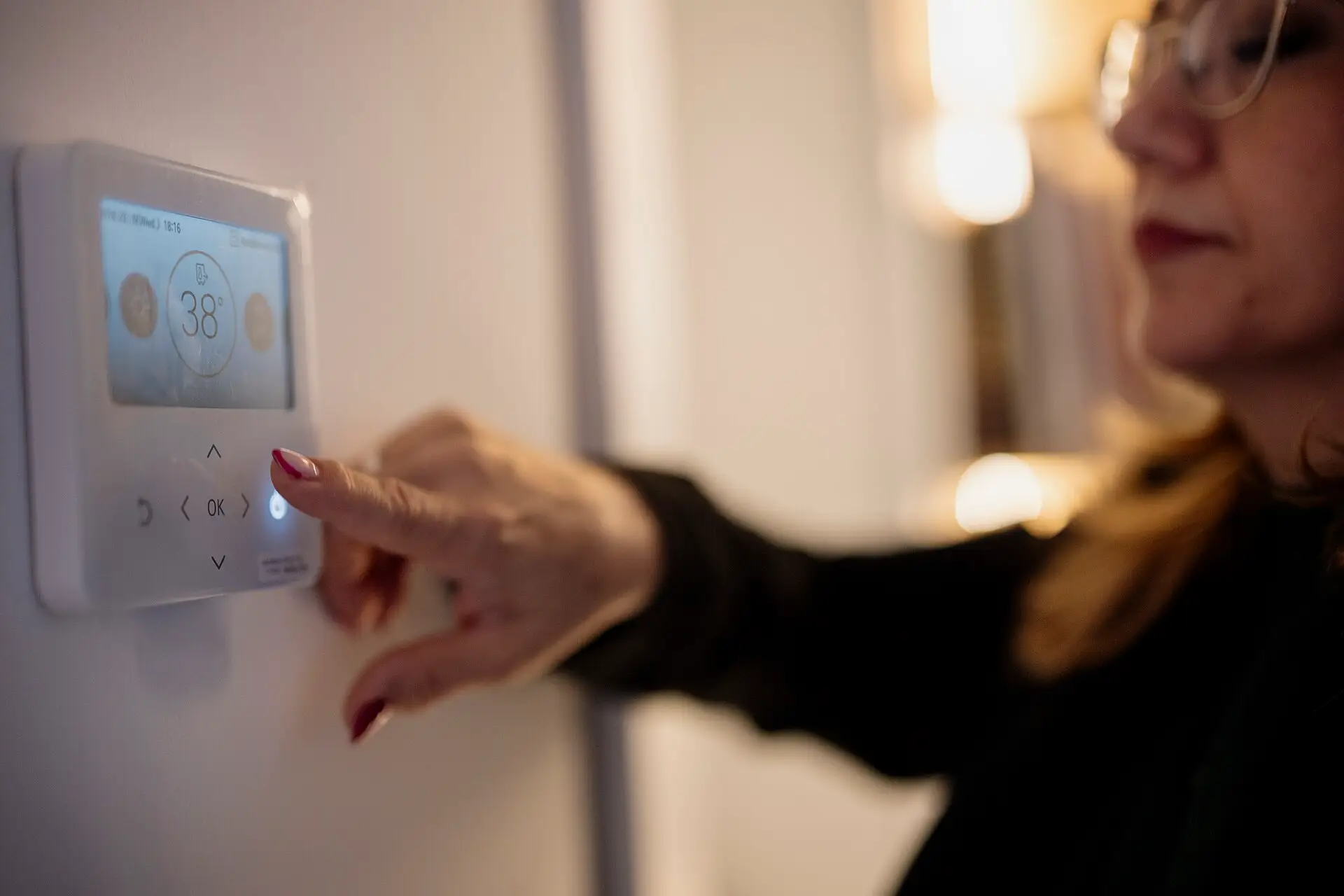
- Watch the thermostat. Most thermostats show “AUX,” “Aux Heat On,” “Backup heat,” or a second flame/heat icon when strips are running. Look at it on a cold morning right after a scheduled warm-up and on a mild afternoon.
- Check the app’s runtime history. Many smart thermostats break out compressor (heat pump) runtime from aux runtime in their usage or energy history. If aux shows up on days in the 40s and 50s °F, your settings are probably too eager.
- Measure the strip circuit. Electric strips are on their own 240 V breaker (often two). A whole-home monitor with branch-circuit sensors on that breaker — see Emporia Vue vs Sense — shows exactly when and how many kWh the strips draw. If you’re not comfortable working inside a panel, hire an electrician for the sensor install.
- Use your utility’s hourly data. Many utilities show hourly or 15-minute usage online. A spike of 5–20 kW stacked on top of the heat pump’s draw right when your schedule warms the house is a strong aux signature.
- Normalize your bill. A colder month always costs more. Divide heating-season kWh by heating degree days (free from sites like degreedays.net for a nearby weather station) to compare this winter to last, before and after a settings change.
Step 2: Fix the free stuff (most people should stop here)
Check the obvious mechanical causes first
- Dirty filter. Restricted airflow makes the heat pump less effective and can push the system toward backup heat. Replace or clean it; see our MERV filter guide for why a very high MERV isn’t automatically better.
- Closed or blocked registers and returns. Open them. Furniture over returns is common.
- Outdoor unit buried in leaves or snow, or iced solid for hours (normal defrost frost clears in minutes). Clear it gently; persistent heavy icing is a service call.
- Leaky ducts in an unheated attic or crawl space. Heat lost there means longer runtimes and more aux calls. See duct sealing with mastic and foil tape.
Is EM heat on by accident?
If the thermostat mode says Em Heat, Emergency, or EM, switch it back to Heat unless the heat pump is actually broken. This alone can be the whole “my bill doubled” story.
Shrink your setbacks
The DOE’s Energy Saver guidance says programmable thermostats are “generally not recommended for heat pumps” in heating mode, because setting the temperature back and then warming up quickly “can cause the unit to operate inefficiently, thereby canceling out any savings.” The exception is thermostats designed for heat pumps that “use special algorithms to minimize the use of backup electric resistance heat.”
What that means in practice:
- No heat-pump recovery feature? Keep setbacks small, or hold one steady temperature in cold weather.
- Has heat-pump or adaptive recovery (ecobee Smart Recovery, Nest Heat Pump Balance and Early-On, Honeywell adaptive recovery)? A setback can still pay, because the thermostat starts warming earlier and slower so the heat pump does the work. PNNL’s Building America Solution Center describes exactly this: adaptive recovery “triggers the heat pump earlier allowing it to bring up the space temperature gradually … and minimizes the use of the more costly electric resistance auxiliary heat.”
- Stop bumping the setpoint up 4–5 degrees by hand. A big manual jump is the fastest way to call the strips. The Bonneville Power Administration’s installer notes say adaptive recovery works when the homeowner “does not use deep setback and does not adjust the thermostat frequently.” Raise it a degree or two at a time instead.
Set an outdoor-temperature aux lockout
This is the single most useful setting. An aux lockout (also called backup heat lockout or aux heat max outdoor temperature) tells the thermostat: don’t run the strips when it’s warmer than X°F outside, no matter what. Above that temperature, the heat pump has to carry the load alone — slower, but much cheaper.
It needs an outdoor temperature reading: either a wired outdoor sensor or internet weather on a Wi-Fi thermostat.
Here’s where to find it on the common thermostats (menus change with firmware, so confirm in the current manual):
- Google Nest (Learning Thermostat and Nest Thermostat with a heat pump): Nest uses Heat Pump Balance with options Max Comfort (the default, which “generally gives you higher AUX lockout temperature”), Balanced, Max Savings, or Off. Choosing Max Savings or Balanced is the quick fix. With it Off, you set the lockout yourself under Settings → Equipment → Heat Pump. Google’s heat pump configuration sheet for the 4th-gen Learning Thermostat lists the Auxiliary Lockout Temp default as 40°F with a 0–70°F range.
- ecobee: On the thermostat itself (ecobee says not in the app), go to Main Menu → Settings → Installation Settings → Thresholds. Look at Aux Heat Max Outdoor Temperature (aux won’t run above it), Compressor to Aux Temperature Delta or Compressor to Aux Runtime (how far behind or how long before aux engages), and the Aux Savings Optimization slider when staging is set to automatic. Leave Compressor Min Outdoor Temperature (default 35°F) alone unless your heat pump’s manufacturer confirms a lower safe limit.
- Honeywell Home T9 / T10 Pro and similar Resideo thermostats: In installer setup (ISU), the T10 Pro manual documents ISU 3120 Backup Heat Lockout (Off, or 5–65°F in 5° steps), which “requires a wired outdoor sensor or Internet weather.” It only appears when the system type is set to heat pump with one backup heat stage. Check your model’s ISU list for the same setting.
How to pick a number: start a few degrees below where you see aux running today, and lower it in small steps over a couple of cold weeks. The test is simple: on the coldest mornings, does the house still reach setpoint in a reasonable time? If yes, keep going. If rooms get cold or the warm-up drags all morning, raise it back. Your heat pump’s capacity, the house’s heat loss, and your comfort decide the number, not a forum post.
Slow the upstage (droop, delta, and timers)
Besides outdoor temperature, most thermostats decide when to add aux based on how far behind the house is (droop or temperature delta) and how long the heat pump has run without catching up (upstage timer or compressor-to-aux runtime). Factory defaults often lean toward fast comfort. Allowing a slightly larger delta or a longer runtime before aux gives the heat pump more time to finish the job. Nest’s configuration sheet lists Droop (default 0°F) and Minimum Delay (default 15 minutes) as adjustable on heat pumps with aux.
Dual fuel (heat pump + gas or oil furnace)
With a furnace as backup, the question is a changeover (balance) point, not “strips on or off.” Whether the heat pump or the furnace is cheaper at a given outdoor temperature depends on your gas price versus your electric price. A rough comparison: 1 therm of gas is about 29.3 kWh of heat; divide your gas price per therm by your furnace efficiency, and compare that to your electric rate divided by your heat pump’s efficiency at that temperature. Nest notes that Heat Pump Balance isn’t available on dual fuel; you set the breakpoint manually. If you’re unsure, ask your HVAC contractor what changeover point they configured and why.
Step 3: Do you need to buy anything?
Most people can fix aux overuse for $0. Buy only if one of these is true:
| Your situation | What helps | Why |
|---|---|---|
| Thermostat has an aux lockout but no outdoor temperature source | Wired outdoor sensor (compatible models) or connect a Wi-Fi model to internet weather | The lockout setting is greyed out without outdoor temperature |
| Old non-programmable or basic programmable thermostat with no heat-pump recovery | Heat-pump-aware smart thermostat | Recovery logic plus an outdoor lockout lets setbacks save instead of triggering strips |
| You can’t tell whether aux is running | Smart thermostat with runtime history, or a circuit-level energy monitor | You can’t fix what you can’t see |
| Big bill, settings look fine, house still can’t keep up | No gadget — call HVAC | Low refrigerant, a failing reversing valve, a stuck defrost board, or an undersized heat pump needs a technician |
Before you buy any thermostat for a heat pump, check three things against the product’s compatibility sheet: heat pump with auxiliary heat support (the O/B reversing valve and AUX/W2 terminals), how many heat stages it handles, and C-wire requirements. Photograph your existing wiring first. Our install cost vs DIY guide walks through it.
What not to do
- Don’t leave Em Heat on after a service visit or a cold snap.
- Don’t lower the compressor minimum outdoor temperature below what your heat pump’s manufacturer allows. ecobee warns that running a compressor colder than it can handle “can damage the equipment.”
- Don’t set the aux lockout so low the house can’t keep up in a deep freeze. Cold rooms are a comfort problem; a house that can’t hold temperature in subzero weather is a frozen-pipe risk. If you travel in winter, keep a safe minimum and don’t strand the system without backup.
- Don’t disable aux entirely to “force” savings unless an HVAC pro confirms your heat pump can carry your house at your local design temperature.
- Don’t confuse defrost with a problem. Many systems briefly run the strips during a defrost cycle to avoid blowing cold air. Short, occasional aux during defrost is normal.
- Don’t open the air handler or work on strip wiring yourself. Heat strips are on 240 V circuits. Settings changes happen at the thermostat; electrical work goes to a pro.
- Don’t stack space heaters on top to avoid aux. In a heat-pump home, a plug-in heater is the same 1:1 resistance heat as the strips; see space heater cost to run.
Our picks
We earn a commission if you buy through these Amazon links, at no extra cost to you. Check size and fit on the listing before you order.
Heat-pump-aware smart thermostat with installer thresholdsecobee Smart Thermostat Premium
Best fit if you want fine control: ecobee exposes Aux Heat Max Outdoor Temperature, compressor-to-aux delta and runtime, and Smart Recovery, and uses internet weather for outdoor temperature. Includes a SmartSensor for a second room. Thresholds are set on the thermostat, not the app.
- ecobee Smart Thermostat Premium with SmartSensor Check price on Amazon
Easiest “set it and leave it”Google Nest Learning Thermostat (4th gen)
Best fit if you want one setting to change: Heat Pump Balance set to Balanced or Max Savings adjusts the aux lockout automatically, and you can turn it off to set a manual lockout. Check Google’s compatibility checker against your wiring photo first.
- Google Nest Learning Thermostat (4th gen) Check price on Amazon
Honeywell with installer-level lockoutsHoneywell Home T9 or T10 Pro
Best fit for Honeywell/Resideo households and contractor installs. Resideo’s installer menus include backup heat lockout using a wired outdoor sensor or internet weather. The T10 Pro is the contractor-oriented model with a RedLINK room sensor; the T9 is the retail smart model with Smart Room sensor support. Confirm your model’s ISU list includes the lockout you want.
- Honeywell Home T9 Smart Thermostat Check price on Amazon
- Honeywell Home T10+ Pro with RedLINK 3.0 (THX321WFS3001W, the current version of the T10 Pro) Check price on Amazon
Add an outdoor sensor to a compatible HoneywellC7089U1006
Resideo lists this wired sensor for use with TH8000-series, TH7000-series, and T6 Pro (TH6220/TH6320) thermostats, among others, and says it can “lock-out expensive auxiliary heat in heat pump applications.” It needs a wire run from the thermostat or equipment to an outdoor spot out of direct sun; your thermostat must support a wired outdoor sensor. Many installers run it during a service visit.
- Honeywell C7089U1006 Outdoor Temperature Sensor Check price on Amazon
See the strips on your billEmporia Vue whole-home monitor
Branch-circuit sensors on the heat strip breaker show exactly how many kWh aux used each day, which makes before-and-after settings changes measurable. Panel installation should be done by someone qualified. Comparison with Sense in our Emporia Vue vs Sense guide.
- Emporia Vue energy monitor kit (current generation) Check price on Amazon
The cheapest aux fixa fresh filter
Know your size (it’s printed on the old filter’s frame). A standard MERV 8 is a sensible default for many systems; see our filter guide before jumping to MERV 13.
- Nordic Pure 16×25×1 MERV 8 (6-pack) Check price on Amazon
- Filtrete 16×25×1 MPR 1000 / MERV 11 (6-pack) Check price on Amazon
What we left out
- Budget thermostats with no published heat pump recovery or aux lockout. Cheap can be fine for a furnace; for a heat pump with strips, recovery logic and a lockout are the whole point.
- “Heat pump booster” gadgets and miracle additives. If the system can’t keep up after settings and a filter, the fix is a technician, not a plug-in.
- Space heaters as an aux substitute. Same resistance heat, same cost per kWh.
Troubleshooting: “aux heat keeps coming on”
| Symptom | Likely cause | Try this |
|---|---|---|
| AUX every morning right after the schedule warms up | Big setback + fast recovery | Smaller setback; turn on heat pump recovery (Smart Recovery, Heat Pump Balance, adaptive recovery); lower aux lockout |
| AUX in 40s–50s °F weather | Lockout off or set high; aggressive delta/timer | Set an outdoor aux lockout; slow the upstage; check that outdoor temperature is reading correctly |
| Mode shows Em Heat | Manual emergency mode left on | Switch to Heat |
| Aux setting is greyed out | No outdoor temperature source | Connect Wi-Fi/internet weather or add a compatible wired outdoor sensor |
| AUX runs and the house still can’t keep up in mild weather | Low refrigerant, reversing valve, defrost board, ducts, or undersized system | Clean filter, open registers, then call HVAC |
| Outdoor unit iced solid for hours | Defrost not working | Turn to Em Heat temporarily if needed for comfort and schedule service |
| Bill high but app shows little aux | Something else is using the kWh | Check water heater, dryer, EV charging, and plug loads with a Kill A Watt or whole-home monitor |
What this won’t fix
- In a true cold snap, some aux is the correct answer. A lockout saves money on mild days; it can’t make a heat pump bigger.
- Every heat pump has a different capacity curve. Your installer’s paperwork or the manufacturer’s data shows where yours starts losing ground.
- We don’t publish a “you’ll save X%” number because the result depends on climate, strip size, house, setbacks, and how much aux you were running before. Measure before and after.
- Thermostat menu names and defaults change with firmware. When in doubt, follow the current manufacturer support article.
Checklist: 20 minutes on the next cold morning
- Note strip size (kW) from the air handler label; multiply by your rate for the cost per hour.
- Confirm the thermostat mode is Heat, not Em Heat.
- Replace the filter; open registers and returns.
- Look for AUX in the thermostat’s runtime history or on the display after the morning warm-up.
- Shrink the setback, or turn on heat-pump recovery.
- Set or lower the outdoor aux lockout a few degrees; leave the compressor minimum alone.
- Recheck after two cold weeks with degree-day-normalized kWh.
- Still bad? Call HVAC before buying anything.
FAQ
What does AUX heat mean on my thermostat?
AUX (auxiliary or backup) heat is a second heat source your heat pump system calls when the heat pump alone isn’t keeping up — usually electric resistance heat strips in the indoor air handler, sometimes a gas or oil furnace in a dual-fuel system. It’s normal to see AUX on very cold mornings, during defrost, or when you raise the setpoint a lot at once. It becomes a bill problem when it runs in mild weather or after every scheduled warm-up.
How much more does aux heat cost than the heat pump?
Electric strips turn 1 kWh into about 1 kWh of heat. A heat pump moves heat instead of making it, and the U.S. Department of Energy says heat pumps can deliver up to three times more heat than the electricity they use. Google’s Nest help pages put AUX at about 2 to 5 times the cost of running the heat pump. As an example, a 10 kW strip kit running one hour at $0.18 per kWh costs about $1.80; if the heat pump can carry that same heat at three times the efficiency, it’s roughly $0.60.
What’s the difference between AUX heat and emergency heat?
AUX runs alongside the heat pump automatically when the thermostat decides it needs help. Emergency heat (EM heat) is a mode you choose by hand: it locks the heat pump out and heats the house with the backup heat alone. Use EM heat only when the heat pump is actually broken or iced and you’re waiting for service. Leaving it on is one of the most expensive mistakes a heat pump owner can make.
What should I set my aux heat lockout temperature to?
There’s no single right number; it depends on your heat pump’s capacity and your house. The aux lockout tells the thermostat not to run backup heat above a chosen outdoor temperature. Nest’s documented default is 40°F. A common approach is to lower it a few degrees at a time and watch whether the house still reaches setpoint on cold mornings. If it can’t keep up, raise it again. Never lower the separate compressor minimum outdoor temperature below what your heat pump’s manufacturer allows.
Should I turn my heat pump thermostat down at night?
Only a little, unless your thermostat has heat pump recovery. The U.S. Department of Energy notes that a big setback on a heat pump can cancel out the savings, because warming back up quickly calls the expensive backup heat. Thermostats built for heat pumps — with adaptive or heat-pump recovery that starts warming early and slowly — make setbacks pay. Without that, a small setback or a steady setting is usually cheaper.
Do I need a new thermostat to stop aux heat from running so much?
Often not. Many existing thermostats already have an aux lockout, an upstage timer, or a droop setting in their installer menu. Check those first, plus a clean filter and open registers. A new thermostat is worth it when yours has no outdoor-temperature lockout, no heat-pump recovery, or no way to see aux runtime — or when it’s still a basic non-programmable unit.
Sources
- U.S. DOE, Programmable Thermostats (Energy Saver, archived June 2026) — setbacks on heat pumps in heating mode can cancel savings; heat-pump thermostats minimize backup resistance heat
- U.S. DOE, Energy Saver guide (PDF) — heat pumps can provide up to three times more heat than the energy they use
- PNNL Building America Solution Center, Thermostat Controls — adaptive recovery for heat pumps minimizes auxiliary electric resistance heat
- Bonneville Power Administration, Notes on Auxiliary Heat Controls and Thermostat (PDF) — adaptive recovery alone isn’t enough when people use deep setbacks; outdoor-sensor strip lockouts
- Google Nest Help, Heat Pump Balance — AUX about 2–5× the cost of the heat pump; Max Comfort default; manual lockout path
- ecobee Support, Reduce your Auxiliary Heat usage in a Heat Pump Configuration and Threshold settings
- Resideo, T10 Pro Smart Thermostat with RedLINK installation guide (PDF) — ISU 3120 Backup Heat Lockout; T9 user guide (PDF) — Em Heat locks out the heat pump
- Resideo, C7089U1006 Remote Outdoor Sensor — compatible thermostats; auxiliary heat lockout use
- U.S. Energy Information Administration, Electric Power Monthly, Table 5.3 — average U.S. residential price 18.31¢/kWh, July 2026 (preliminary)
- Unit conversion: 1 therm = 100,000 Btu ≈ 29.3 kWh
Related reading
- Best smart thermostats (2026) — full buyer’s guide, wiring first
- Smart thermostat install: cost vs DIY — O/B, aux, and C-wire before you start
- Emporia Vue vs Sense — measure the strip circuit directly
- HVAC air filters and MERV — the cheapest aux fix
- Duct sealing with mastic and foil tape — stop losing heat in the attic
- Space heater cost to run — why a plug-in heater isn’t cheaper than aux
- Lower your electric bill: priority checklist — this-month order of operations
- Start Here — full suggested reading order
Bottom line
Aux heat is the expensive part of a heat pump system, and it often runs more than it needs to because of default settings, big setbacks, and dirty filters. Do the strip-cost math, confirm aux is actually running, then fix it for free: switch off Em Heat, shrink setbacks or turn on heat-pump recovery, and set an outdoor aux lockout you lower gradually while the house still keeps up. Buy a heat-pump-aware thermostat or an outdoor sensor only if your current thermostat can’t do those things — and call an HVAC tech if the heat pump can’t carry the house on mild days.
Some links on this page go to Amazon, and we earn a commission if you buy, at no extra cost to you. Prices and savings vary by home and utility rate. More in our disclosure.