Window ACs and ductless heads with IR remotes often run longer than they should because nobody wants to babysit the remote. Smart AC controllers (Sensibo-style) add schedules, geofencing, and temperature triggers for cooling and, on many mini-splits, HEAT. Separately, a ceiling fan + thermostat combo can let you raise the cooling setpoint a bit in summer — and reverse the fan gently in winter — if you actually change setpoints and turn fans off when rooms empty. A controller or a ceiling fan only lowers the bill in certain rooms and schedules. Here’s how to tell whether yours is one of them and how to set up automations that stick.
If you’re prioritizing actions for this billing cycle, keep the priority checklist above any shopping cart. New visitors: Start Here. Central HVAC homes should also see our smart thermostat buyer’s guide. For the glass itself, stack with thermal / blackout curtains and, in winter, window insulation kits. Prove odd loads with a Kill A Watt or whole-home monitor when you want numbers instead of guesses.
When controllers and fans move the bill (and when they don’t)
Think of comfort energy as watts × hours. A smart controller doesn’t change the SEER or HSPF sticker on the box; it changes whether the unit runs when nobody benefits. Ceiling fans don’t chill or heat empty air — they move air across people. Bill leverage appears when automation cuts empty-home runtime and when fans let you hold a slightly friendlier setpoint while occupied.
Cooling season — controllers help most when
- Your window, portable, or mini-split AC uses an IR remote and currently runs because someone forgot to turn it off.
- You’ll use schedules, geofencing, or temp/humidity triggers (not just voice novelty).
- You rent or can’t replace the AC but can place a small Wi‑Fi controller in line-of-sight of the unit.
- TOU rates reward pre-cool / avoiding peak — and you’ll configure that.
- Empty-home hours are real (work, school, travel) and the unit today holds a comfort setpoint the whole time.
Heating season — same idea for mini-split HEAT
Many ductless heads are heat pumps. If the IR remote has Heat (or Auto that includes heat), a compatible controller can automate winter runtime the same way it automates summer cool:
- Geofence or schedule so the head isn’t holding 72°F in an empty house all day.
- Temp triggers that allow a safe setback, then recover before you walk in.
- TOU-aware pre-heat only if the house holds temperature (insulation and sealing still matter).
The reality: Controllers save kWh by reducing runtime and avoiding empty-home conditioning — cool or heat. Wi‑Fi alone does nothing if hours stay identical.
Ceiling fans — summer and winter
- Summer: Raise the cooling setpoint a few degrees while fans run when the room is occupied. Turn fans off when you leave.
- Winter: Reverse direction (gentle updraft) if the manufacturer supports it so stratified warm air mixes without a draft on your head — then you may hold heat a notch lower while the room feels even. Still turn fans off in empty rooms.
- Fans are not a substitute for attic insulation, sealing, or a right-sized heat source. See attic insulation and weatherstripping.
When they usually won’t help much
- The AC/heat pump already has a good onboard schedule you use faithfully.
- The unit is undersized, filters are filthy, or the window install leaks — fix the physical setup first.
- You expect marketing “save 40%” claims while you keep the same runtime.
- Your AC has no IR remote (many older mechanical units) — controllers can’t invent IR.
- You run ceiling fans 24/7 at the same thermostat setpoint — mostly adding fan watts.
- Central forced-air is the only system and you needed a 24V smart thermostat, not an IR brick aimed at nothing.
The reality: Fan + higher cooling setpoint (or gentle winter reverse + slightly lower heat) can reduce HVAC runtime; fan + same setpoint mainly adds fan kWh. Behavior decides the bill.
Quick payback math (fill in your numbers)
Use this once for a high-hour window AC or mini-split so expectations stay honest:
- Meter or estimate watts when running (nameplate or plug meter on many 120V cords — stay inside ratings).
- Estimate empty-home hours per day the unit currently cools or heats for nobody.
- Rough yearly kWh you might cut if automation kills those hours:
watts × empty hours/day × days used ÷ 1000(cooling days + heating days separately if the head does both). - Multiply by your $/kWh — not a national average graphic.
Example shape only: a ~900W window AC that currently runs 4 empty hours/day for ~90 cooling days is about 900 × 4 × 90 ÷ 1000 ≈ 324 kWh/season. At $0.16/kWh that’s roughly ~$52 if automation truly removes those hours — not if geofencing false-triggers or pets need a safe minimum that keeps the unit on. Scale to your meter and your rate; don’t invent a whole-house graphic from one bedroom unit.
Check your home before you buy
Gadgets before a 15-minute walk is how you end up with a Wi‑Fi brick that can’t see the IR receiver. Spend fifteen minutes with a notepad before you click “Buy.”
- IR remote? — Confirm the window, portable, or mini-split uses a working infrared remote (not Bluetooth-only proprietary without IR). No IR → skip Sensibo-class controllers for that unit.
- Filter clean? — Dirty filters raise runtime and noise. Clean or replace before blaming the controller for “weak” cooling or heat.
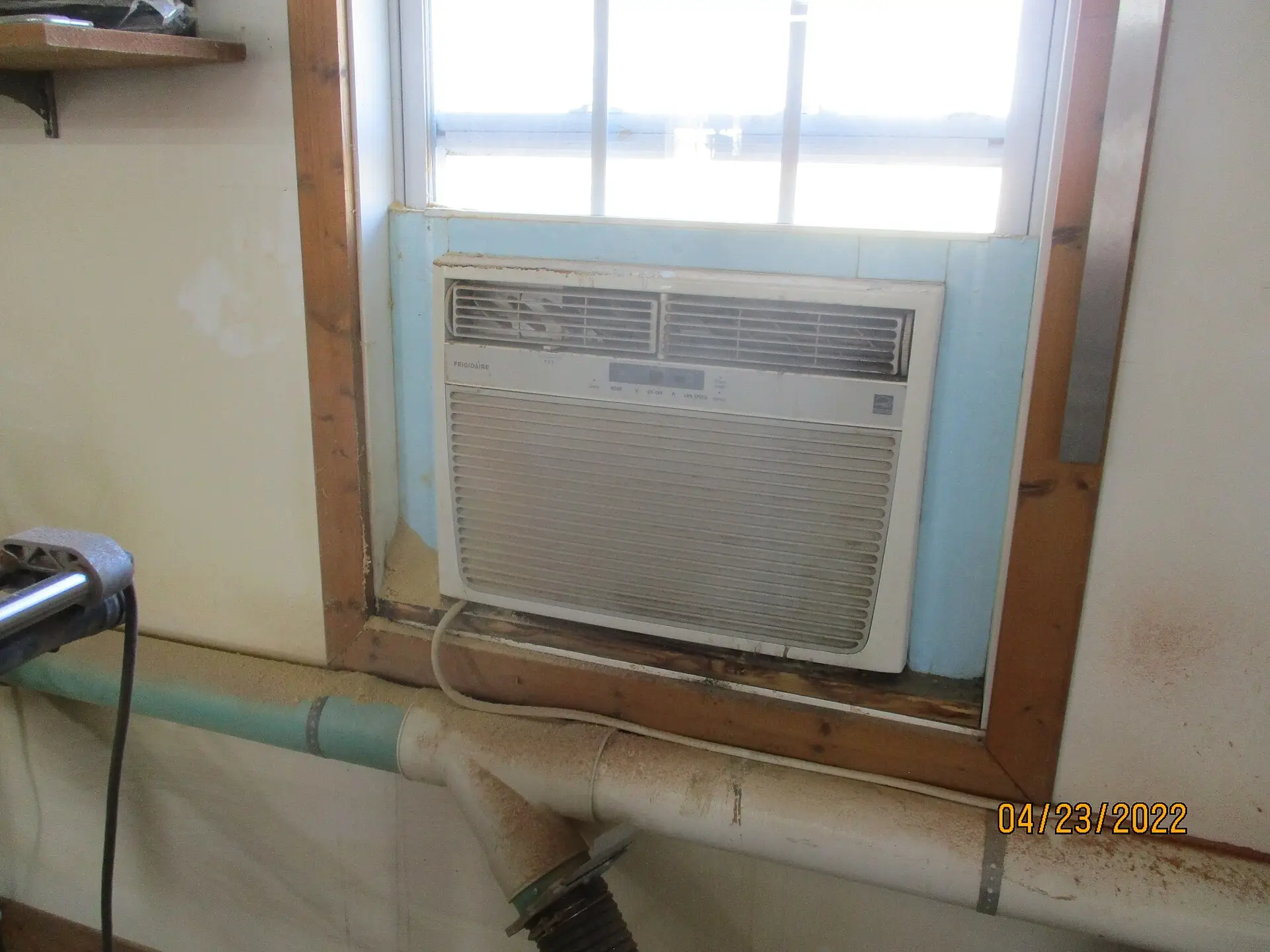
- Side-panel seal (window AC) — Accordion panels and foam gaps leak conditioned air outdoors. Reseat panels; consider foam side-panel kits sized to your unit.
- Sleeve / window drafts — Feel for outdoor air around the chassis, sash, and side channels. Foam, weatherstrip, and a tight sash beat any app schedule on a leaky install.
- Meter cord if 120V — Many window ACs plug into a standard outlet. A Kill A Watt–class meter (within cord/outlet ratings; never defeat dedicated circuits or oversized loads) shows real watts and kWh so automation claims stay honest.
- Empty-home hours — Work, school, travel: when is the room actually empty? That’s the automation prize — not voice control while you’re on the couch.
- TOU / peak windows — If your utility prices peak hours higher, note them. Pre-cool or pre-heat only helps if the envelope holds temperature.
- Ceiling fan direction by season — Confirm reverse switch exists; summer = downward breeze on people; winter = gentle upward mix. Note which rooms are occupied vs empty most hours.
- Central vs zone — Forced-air central → smart thermostat path. IR window/mini-split zones → controller path. Many homes need both, not one gadget for everything.
- Pets / plants / pipes — Note safe minimums before you geofence to “off.” Blind shutoff that freezes pipes or cooks pets is not a bill win.
Write “unit / IR? / filter / seal / empty hours / TOU? / fan reverse?” on a sticky before Amazon. After the physical walk, smart plugs for vampire power on peripherals still matter — but never put a cheap smart plug on a window AC or space-heater load (see do-not list).
What to do first
Do these first
- Window / portable / mini-split that runs all day in an empty room — geofence or schedule OFF (or a safe setback) first; that’s the controller’s job.
- Mini-split HEAT left at comfort setpoint while you’re at work — same automation prize in winter if IR Heat works in the app.
- Leaky window-AC install — seal side panels and sleeve drafts before buying Wi‑Fi; leaked cool/heat is pure bill waste.
- Occupied rooms where you’ll actually raise the cooling setpoint (or ease winter heat a notch) with fans on — fan hardware only pays if setpoints move.
- TOU homes that will pre-cool / pre-heat and coast — only after filters and seals are sane.
- Central forced-air still on a dumb schedule — fix that with a proper smart thermostat, not an IR controller aimed at a wall.
These can wait
- Units that already have faithful onboard schedules and no empty-home waste.
- Guest rooms you almost never condition.
- Ceiling fans in rooms you won’t occupy (or won’t change the thermostat for).
- “Air quality” upsells on controllers if you only needed basic schedules.
- Replacing a working controller brand just to chase a new app skin.
What not to do
- Do not put cheap smart plugs / outlet timers on window ACs, portable ACs, or space heaters — those loads often exceed plug ratings, defeat dedicated circuits, and create fire risk. Controllers that talk IR to the unit (or proper HVAC thermostats) are the right tool; random Wi‑Fi plugs are not.
- Do not geofence to hard OFF without a safe minimum for pets, plants, or freeze risk — use temp triggers or a wide setback instead of blind shutoff.
- Do not mount an IR controller with no line-of-sight to the AC’s IR receiver — test from the final spot before screwing anything down.
- Do not assume every mini-split profile includes HEAT — verify Heat/Auto commands in the app on a cold day before trusting winter automations.
- Do not install a ceiling fan on a non-fan-rated box — boxes must be fan-rated and properly supported; hire an electrician if the support is questionable.
- Do not leave fans on in empty rooms “for the house” — they don’t condition empty air; they add watts.
- Do not skip filter cleaning and then blame the controller for long runtime.
- Do not invent bill ROI from a marketing “up to X%” tile — use your empty hours and your $/kWh.
- Do not buy an IR controller for a mechanical-only AC with no remote — it cannot invent IR.
- Do not treat a controller as a substitute for sealing, right-sizing, or attic work when those are the real leaks.
If any do-not item matches your plan, pause the cart — the wrong gadget on the wrong load is comfort spend with a safety problem, not a bill story.
Which one should you buy?
Use this after you’ve checked your home, not instead of it.
- Unit has no IR remote?
- Yes → Skip Sensibo-class controllers for that unit. Fix filters/seals; consider replacement equipment or a different control path.
- No → continue.
- Problem is empty-home runtime on an IR window / portable / mini-split (cool and/or heat)?
- Yes → IR smart controller class (Sensibo Sky / Cielo / Air PRO). Prefer the simplest model you’ll actually configure.
- No → jump to fans / central thermostat / skip.
- You want basic schedules + geofencing + temp triggers at the lower controller price?
- → Sensibo Sky class — strong default for renters and one-controller-per-AC setups.
- You specifically want on-device buttons so every tweak doesn’t need unlocking a phone?
- → Cielo Breez Max class — thermostat-like local display plus Wi‑Fi automation.
- You want air-quality sensing on the same device and will use those readings?
- → Sensibo Air PRO — only if you’ll use AQ features; otherwise you’re paying for sensors you ignore. Still only saves energy if automations cut hours.
- Comfort issue is occupied-room feel, and you’ll raise cooling setpoint (or ease winter heat) with air movement?
- → Ceiling fan first in the rooms you occupy (fan-rated box!), then change the thermostat/controller setpoint for real.
- Primary system is central forced-air?
- → Smart thermostat path (Nest-style or budget Alexa-friendly). IR controllers don’t replace 24V control of the air handler. Some homes use both (central downstairs + window/mini-split upstairs).
- Filters filthy / side panels leaking / sleeve drafts screaming?
- → Skip shopping until the physical install is sealed and filters are clean. A controller on a leaky unit automates waste.
- Already faithful to onboard schedules; no empty-home waste; setpoints already sane?
- → Skip. Return to the priority checklist.
Still unsure? Photograph the remote (IR window on the front), note empty hours and whether the head does Heat, and choose the shortest path that matches runtime waste + control type, not the flashiest app screenshot.
Troubleshooting
| Symptom | Likely cause | What to try |
|---|---|---|
| App pairs but unit ignores commands | Wrong IR profile; no line-of-sight; remote batteries dead; Bluetooth-only unit | Re-pick brand/model in app; move controller into clear IR view; test with original remote; confirm unit is IR |
| Geofence never turns unit off | Phone permissions; false “home”; multiple phones | Check location permissions; widen radius carefully; use schedules + temp triggers as backup |
| Geofence kills AC with pets home | Blind OFF automation | Use temp/humidity triggers or a safe occupied minimum — never hard-off pets/plants |
| Heat mode missing in winter | Profile lacks Heat; unit is cool-only; Auto misconfigured | Re-learn remote; confirm Heat on original remote; test Heat command in app before trusting schedules |
| Long runtime after “automation” | Same hours, just remote control; dirty filter; leaky side panels | Compare history hours before/after; clean filter; reseal panels/sleeve |
| Controller “saves nothing” on next bill | HVAC not the slice you thought; hours unchanged; rate/weather swing | Meter the cord; check empty hours; return to checklist |
| Ceiling fan wobble / noise | Unbalanced blades; loose canopy; wrong box | Balance kit; tighten hardware; confirm fan-rated box — hire if support is questionable |
| Winter reverse feels drafty | Speed too high; wrong direction | Use lowest reverse speed for gentle mix; confirm manufacturer reverse guidance |
| Fan + AC still uncomfortable | Setpoint never raised; solar gain; undersized unit | Raise cooling setpoint with fans on; add curtains; don’t expect fans to fix undersizing |
| Smart plug tripped / warm on AC cord | Plug used on compressor load | Stop — remove smart plug from AC/heater loads; use IR controller or proper thermostat instead |
| Wi‑Fi drops / 5 GHz only | Controller needs 2.4 GHz | Put IoT on 2.4 GHz SSID; reduce interference; follow brand setup docs |
Our picks
We earn a commission if you buy through these Amazon links, at no extra cost to you. Check size and fit on the listing before you order.
Match control type (IR vs 24V), empty-home hours, and whether you’ll actually change setpoints. Seal and filter first.
Best known IR AC controller classSensibo Sky
Best for: Window, portable, and mini-split units with IR remotes when you want schedules, geofencing, and climate-react–style triggers without paying for air-quality extras. Strong renter fit — one controller per AC is typical.
Watch-outs: Needs line-of-sight IR, 2.4 GHz Wi‑Fi, and the correct remote profile. Marketing “up to X%” claims are not your bill. Confirm Heat commands if you’ll automate winter mini-split heat.
- Sensibo Sky smart AC controller Check price on Amazon
Best when you also want air-quality sensingSensibo Air PRO
Best for: Same automation idea plus air-quality sensing for people who want one device for comfort automation and indoor air awareness. Still only saves energy if automations cut AC/heat hours.
Watch-outs: Higher price than basic controllers — buy for features you’ll use. Verify HomeKit/Alexa needs against your ecosystem at purchase time.
- Sensibo Air PRO Check price on Amazon
Strong alternative with an on-device displayCielo Breez Max
Best for: Thermostat-like on-device UI plus Wi‑Fi automation for IR ACs — useful if you don’t want every adjustment to require unlocking a phone. Supports common voice assistants.
Watch-outs: Still IR-limited. Place carefully; hardwiring options exist but most people use the included adapter — follow the manual and hire help for any 24V work you’re not qualified to do.
- Cielo Breez Max Check price on Amazon
Seal the window AC before the Wi‑Fi brickfoam side panels
Best for: Replacing flimsy accordion side covers with trimmable foam panels so conditioned air stops leaking around the chassis. Bill leverage often beats a controller on a leaky install.
Watch-outs: Measure height/width; cut panels and channels to fit; still weatherstrip the sash. Foam panels don’t fix an undersized unit or a missing support bracket.
- M‑D Building Products air conditioner side panel kit (trimmable foam) Check price on Amazon
Ceiling fan for occupied-room comfort (then change the setpoint)
Best for: Rooms you actually occupy — the hardware half of fan + thermostat strategy. Size for the room; keep blades clean (dusty blades feel “weak”).
Watch-outs: Electrical boxes must be fan-rated. Hire an electrician if the box/support is questionable. Outdoor damp-rated models only where appropriate. Reverse in winter only as the manual allows; turn off when empty.
- Hunter Cassius–class 52” ceiling fan (verify finish/indoor rating) Check price on Amazon
Central HVAC partnersmart thermostat (change the setpoint for real)
Best for: Forced-air systems where fans help comfort and the thermostat encodes higher cooling setpoints, winter schedules, and occupancy. Without changing setpoints, you’re mostly collecting gadgets.
Watch-outs: C-wire / compatibility — read the install cost vs DIY guide before buying. IR controllers do not replace 24V control of the air handler.
- Nest-style learning thermostat Check price on Amazon
- Budget / Alexa-friendly smart thermostat Check price on Amazon
Measure before you automateKill A Watt–class meter
Best for: Many 120V window AC cords — see real watts and kWh so empty-home automation claims stay honest.
Watch-outs: Stay inside meter and outlet ratings; never defeat dedicated circuits or meter oversized / 240V loads with a 120V plug meter. For whole-home context see Emporia Vue vs Sense.
- Kill A Watt–style plug-in energy meter Check price on Amazon
Automation patterns that cut kWh (cool + heat)
- Geofence OFF or wide setback for IR window ACs / mini-splits when everyone’s away — pets/plants/pipes may need a safe minimum via temp triggers, not blind shutoff.
- Sleep schedule that bumps cooling setpoint overnight (or eases heat a notch) if comfort allows.
- TOU pre-cool / pre-heat then coast — only if your house holds temperature (insulation/sealing matter).
- Mini-split HEAT schedules that mirror summer logic: don’t hold comfort heat in an empty house; recover before arrival.
- Fan on when occupied / off when empty via switch, pull chain habit, or smart control within electrical ratings — never a cheap plug on the AC compressor.
- Winter fan reverse on low in occupied rooms after the heat source has warmed the space — then consider a slightly lower heat setpoint if the room feels even.
- Filter reminders — a smart schedule on a clogged filter wastes money in both seasons.
- History check weekly for the first month — if app runtime didn’t drop, fix triggers or seals before buying another gadget.
Measure when you can: a plug meter on many window ACs’ 120V cords (ratings apply). Whole-home context: Emporia Vue vs Sense. For vampire loads on fan remotes and AC peripherals (not the compressor cord), see smart plugs.
What we can’t promise
- Fake “save $300/year from one Sensibo” graphics without your empty hours and rates
- That Wi‑Fi changes SEER/HSPF while runtime stays identical
- That ceiling fans condition empty rooms or replace insulation
- That cheap smart plugs are a safe control method for window ACs or heaters
- That one IR controller replaces a 24V smart thermostat on central forced air
- That every mini-split profile includes reliable HEAT until you verify it in the app
Related reading
- Kill A Watt & plug-in energy meters — measure window-AC kWh before automating
- Thermal & blackout curtains — cut solar gain so AC runs less
- Window AC winter covers & draft sealing — indoor/outdoor covers when the unit stays installed
- Window insulation kits — seasonal film for drafty glass
- Best smart thermostats 2026 — central systems that actually change setpoints
- Smart thermostat install cost vs DIY — C-wire reality check before Nest-class buys
- Best smart plugs for vampire power — peripherals only; not AC compressor loads
- Emporia Vue vs Sense — see whether cooling/heating is actually the bill slice you think
- Priority checklist — cooling and heating order of operations
- Start Here — ranked path for new visitors
Bottom line
Sensibo-style controllers earn their keep when they stop empty-home IR ACs and mini-splits from running — in cool and heat — and enforce schedules you’ll keep. Ceiling fans help when you raise the cooling setpoint in occupied rooms in summer, reverse gently in winter if you’ll ease heat a notch, and turn fans off when empty. Neither replaces sealing, filters, insulation, or a right-sized efficient unit. Walk the house first, use the “Which one should you buy?” section (including skip), keep pets/pipes on safe minima, and never put a cheap smart plug on a compressor load. Buy for automation you’ll enable — not for a percentage in an ad. Next steps: Start Here, smart thermostats 2026, or the electric bill checklist.
Some links on this page go to Amazon, and we earn a commission if you buy, at no extra cost to you. Prices and savings vary by home and utility rate. More in our disclosure.